Developers build
Build models and interfaces on a shared foundation. Use HoHu Skills to assist development and connect business tools to AI assistants.
Build your first moduleOpen source · Self hosted
Build and deploy your business applications. Let people work in the interface or use an AI assistant to query data and help with business tasks.
 HoHu workspace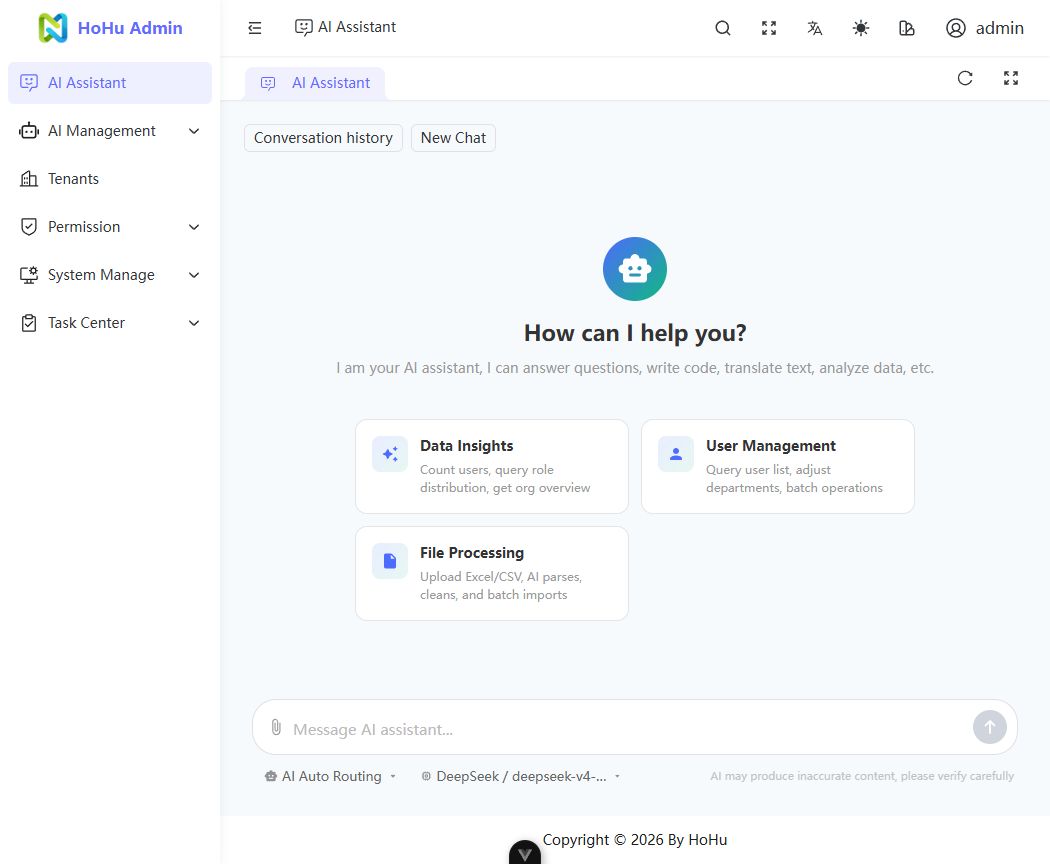
Build models and interfaces on a shared foundation. Use HoHu Skills to assist development and connect business tools to AI assistants.
Build your first moduleRun on your infrastructure. Configure tenants, roles and models, and manage the capabilities available to your team.
Explore deploymentUse the interface or ask in natural language. Review results and confirm changes that need your approval.
Meet the AI assistantConnect an AI assistant to your order, approval and project applications. Ask in natural language to understand pending work and progress.
Connect query tools to your order application. Filter pending orders by status and date to help your team plan follow-ups.
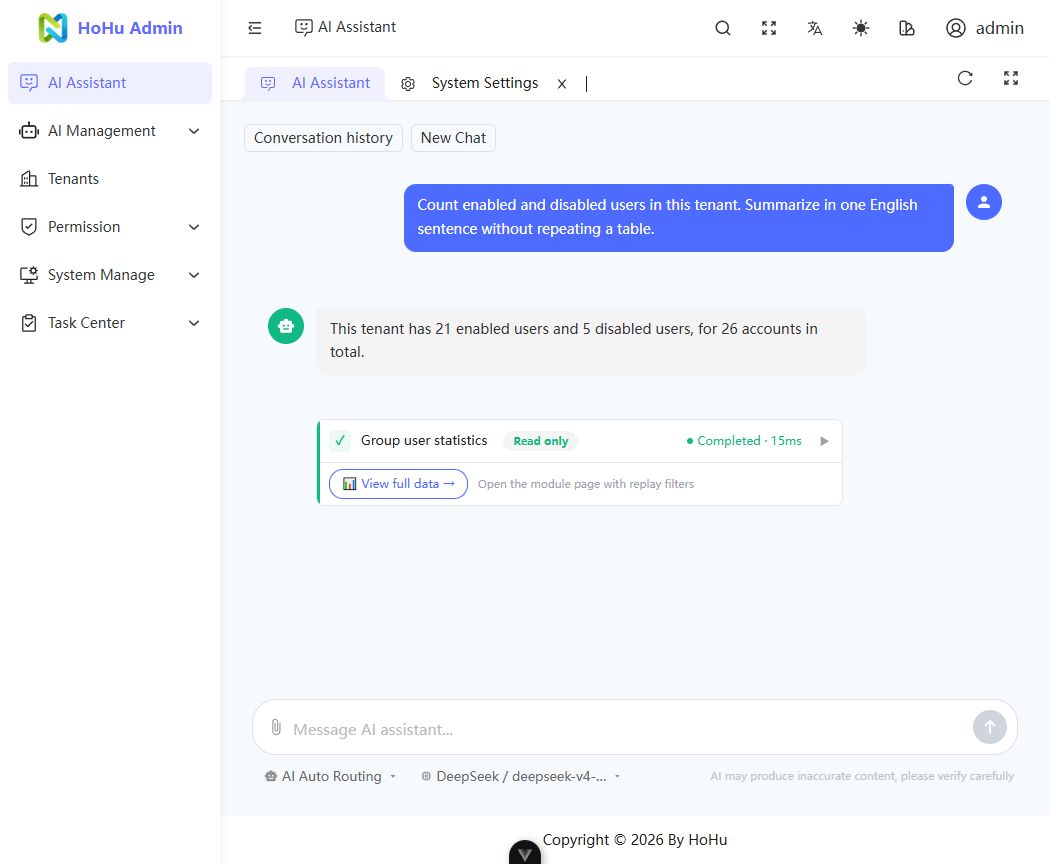
These scenarios require developed business applications and connected AI tools. The product image shows an existing read-only user management query.
Interfaces and AI tools share business services and authorization rules. Extend your application with familiar Python and Vue tools.
Build business applications for browsers, phones and desktop environments on a shared backend.
Users, departments, roles and data scope connect your team’s structure to business operations.
Explore permissionsAccess business records in a trusted tenant context. Configure tenants for your deployment mode.
Explore tenant managementConfigure assistants, models and tool access. Preview operations that require confirmation before approving execution.
Connect your module to AIReuse file management, scheduled jobs and application settings for everyday business needs.
Explore the foundationDescribe your needs to a coding assistant. HoHu Skills help create projects and develop modules. Or use the CLI to create, run and deploy your project.
Install Skills, then ask your coding assistant to create, develop and validate with project conventions.
Run in your workspace terminal, then select your coding assistant, installation scope and Skills.
npx skills@latest add aihohu/hohu-skillsStart your coding assistant in that workspace and send this request.
Use hohu-project to create an equipment project with Backend and Web. Check dependencies and database configuration, initialize and start it, then report the URL and validation results.
Use hohu-business-module to build equipment loans with borrowing, returns and history. Users can only view and return their own loans. Prevent borrowing the same equipment twice.
Works with Claude Code, Cursor, Codex and more. Installation needs Node.js / npx; creating and running a project also needs HoHu CLI and a development environment.
Create a project, initialize its environment and start development from your terminal.
uv tool install hohuhohu create my-project
cd my-projecthohu init
hohu devPrepare Git, uv, Node.js, pnpm, PostgreSQL and Redis, then configure your environment using the development guide.
Develop business models, APIs and pages in source, then register AI tools where needed. The docs include a business notes tutorial and AI integration guide. You build and configure the tutorial module yourself.
No. An administrator configures models, assistants and tool permissions. AI can only use authorized capabilities. Operations requiring confirmation must be reviewed and approved by a person.
Yes. HoHu provides CLI and Docker deployment workflows to run and maintain your own instance. See the deployment docs for environment setup, configuration and upgrades.
Business extensions currently use source development. The application marketplace and third-party business plugin installation are not available yet.
Explore the HoHu interface and AI assistant, or use Skills and the CLI to start building your own application.